Take the copying and chasing out of the week
Document and inbox processing
Quotes, invoices, PDFs, photos and email, turned into records.
Talk to us about this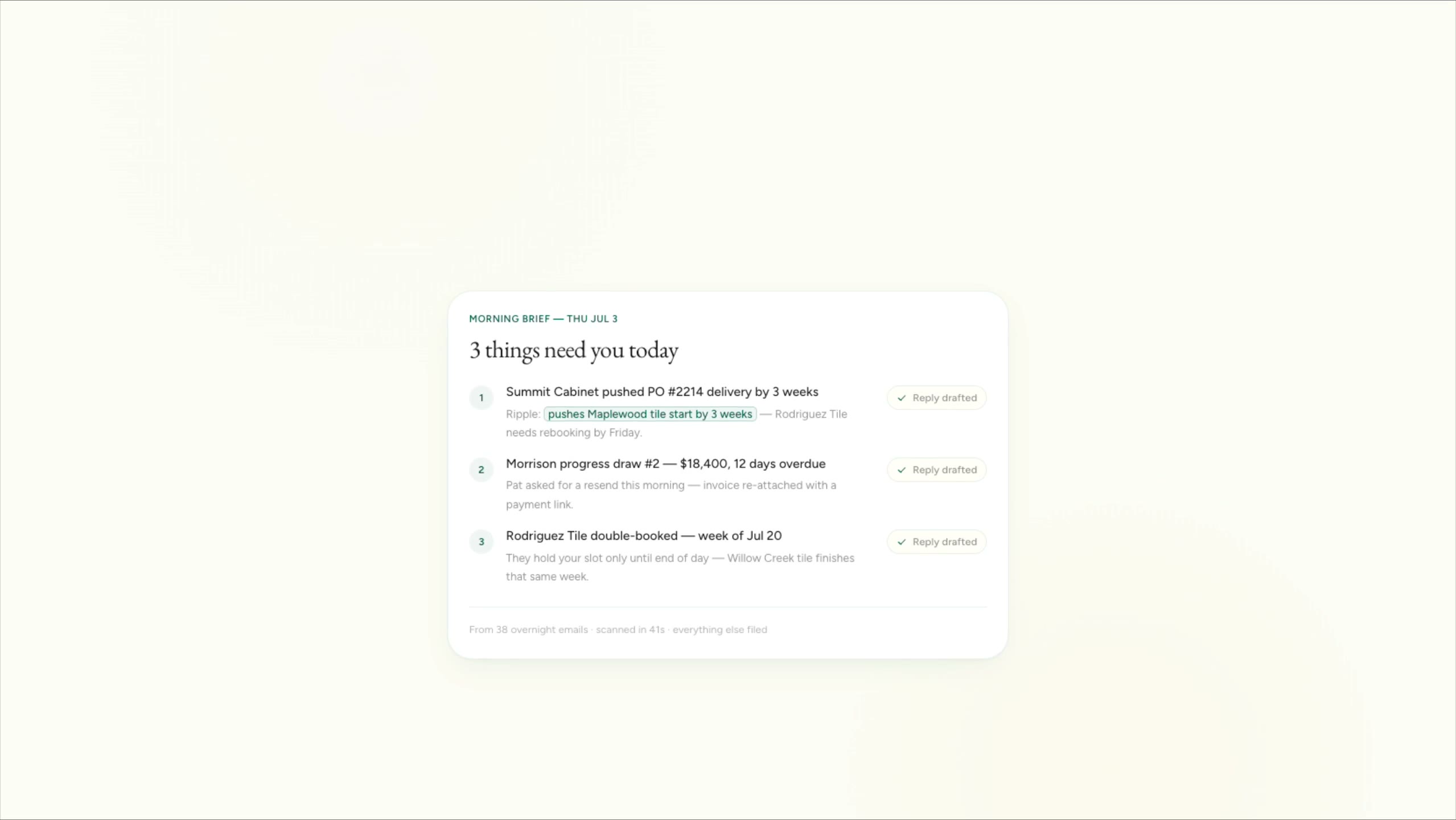
Cedar & Stone, renovation (fictional company)
A cluttered inbox becomes three things that need you today, each with a reply drafted.
The companies are fictional. Every clip is a real screen recording of the same staged product, not a mockup.
Supplier invoices, signed quotes, delivery slips, site photos and client email arrive in every format. We read them, pull out what matters and file it where it belongs, with a person checking anything the system isn’t sure of. For offices that spend hours keying in paperwork.
Sound familiar?
- Someone types supplier invoices into the accounting system by hand.
- Signed quotes sit in the inbox instead of becoming jobs.
- Photos and notes from site never make it onto the job record.
- The important emails get buried under the routine ones.
What you get
What we hand over
- 01Invoices, quotes, receipts, delivery slips and PDFs read into structured records
- 02Inbox sorting that files routine mail and flags what needs a person
- 03Photos and voice notes attached to the right job, with a short written log
- 04A check queue for anything the system is unsure of, shown next to the original
- 05Matching against what you expected, so a wrong amount or a missing purchase order stands out
Works with what you run
Names only. We aren’t partners of any of them, and we start from what you already run.
- Gmail
- Microsoft Outlook
- QuickBooks Online
- Xero
- Dext
- Google Drive
- SharePoint
- Dropbox
How it stays safe
Our principles, applied here
The same rules run through everything we build. How we work
- Every extracted record links back to the document it came from, so anyone can check it.
- Nothing is paid, approved or sent on the strength of a reading. A person confirms anything with money attached.
- Mail access is limited to the folders and addresses you choose.
Before you hire us
When you don’t need this
We’d rather say it now than after you’ve paid for it.
- If you handle a few documents a week, typing them in is quicker than building anything.
- If the receipt scanning in your accounting software already copes, keep using it. Simple cases rarely need custom work.
Not sure which side of the line you’re on? Take the scorecard. It’s private, and nothing is sent unless you choose to send it.
Questions
Common questions
Accurate enough to save the typing, not accurate enough to trust blind. That’s why every reading links to the original and anything uncertain goes to a person.
Often, yes. Clear photos and printed forms read well. Messy handwriting is flagged for a person rather than guessed.
Tell us what you run, and what this would need to do.
Five short steps. We’ll tell you honestly whether this is the right fit.
Start a project