Industries
Agencies, studios and media
Onboarding, approvals and reporting that don’t eat the week.
Walk us through a job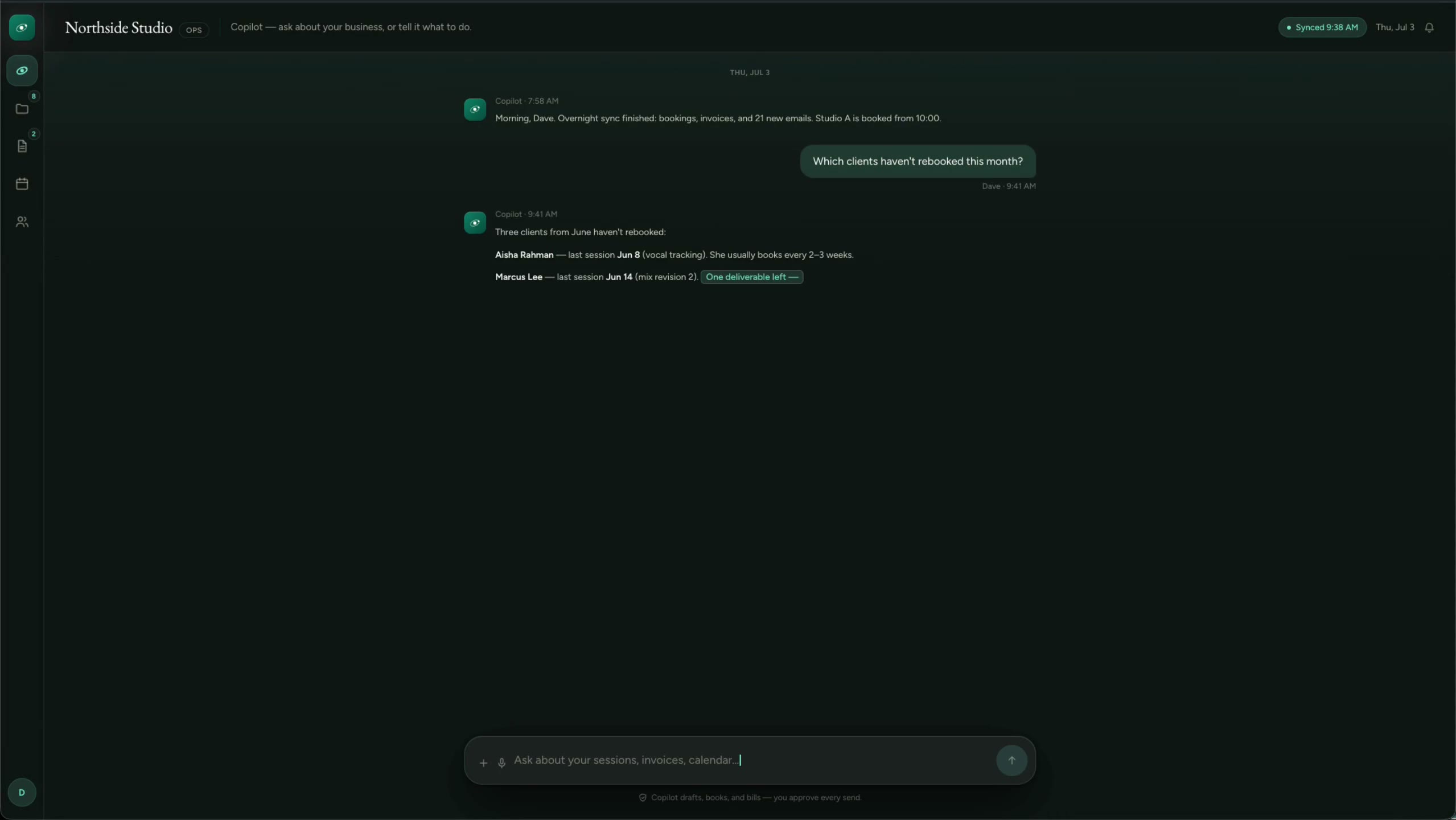
Northside Studio, creative studio (fictional company)
The same system, set up with a studio’s vocabulary instead of a builder’s.
The companies are fictional. Every clip is a real screen recording of the same staged product, not a mockup.
How it actually runs
Agencies and studios run on a project tool like Asana, Monday or ClickUp, plus Slack, Google Drive, a time or booking tool and several dashboards for revenue. Client feedback arrives in email threads and chat, scope creeps one reply at a time, and client reporting eats hours nobody bills for.
Built for
- Marketing and creative agencies
- Design and production studios
- Media and content teams
- Consultancies
Sound familiar?
- Scope creeps one reply at a time, buried in threads nobody reads back.
- Client reporting eats hours nobody bills for.
- Onboarding a client means days of chasing logins and brand assets.
- Bookings, client threads and revenue all live in different tools.
A job, start to finish
The system does the chasing. A person decides.
Every step splits the two. The copying, reminding and drafting move to the system. Prices, approvals and anything sent in your name stay with your team.
- 01
Brief and proposal
The system does
- Collects a structured brief with budget, dates and approvers
- Drafts the proposal from your templates and past work
- Follows up until it’s signed
A person decides
You set the scope and the price.
- 02
Onboarding
The system does
- Sets up the project, folders and channels when the proposal is signed
- Collects brand assets and logins from the client
- Books the kickoff
A person decides
Your lead runs the kickoff.
- 03
Delivery and approvals
The system does
- Collects feedback on each version in one place
- Flags requests that fall outside the signed scope
- Drafts a change request for the extra work
A person decides
Your lead decides what’s in scope and agrees extras with the client.
- 04
Reporting and renewal
The system does
- Pulls results from ad platforms and analytics into one report
- Drafts the commentary
- Reminds you before the renewal date
A person decides
Your lead edits and approves the report before the client sees it.
What we’d build
Where we’d start
Each one links to the service behind it.
A client portal for approvals
Briefs, versions, comments and approvals in one place, on your brand, with each client seeing only their own work.
Client portalsScope changes caught early
Requests outside the signed scope flagged in the thread and drafted as a change request for your lead.
AI drafting with approvalClient reporting
Results pulled from ad platforms and analytics into one scheduled report, with commentary a person finishes.
Dashboards and reportingOnboarding from one link
Signed proposal to project set-up, asset collection and kickoff booking, without the copy and paste.
Workflow automationAn operations workspace
Bookings, client conversations and revenue pulled into one working picture the whole team can see.
Internal tools and job workspacesYour playbooks, searchable
A knowledge assistant over your playbooks, templates and past work, with the source shown.
Knowledge assistants for your team
Software you probably run
- Asana
- Monday.com
- ClickUp
- Slack
- Google Drive
- Harvest
- HubSpot
- Xero
We connect to what you have. Names only; we aren’t partners of any of them.
The line we hold
What stays with you
- Creative judgment and client relationships stay with your team.
- Each client sees only their own work.
And in every industry, AI never does these alone:
- Move money, or promise it
- Send the first message to anyone in your name
- Set a price or a quote
- Make a legal commitment
- Answer a complaint
- Delete records or make bulk changes
- Make an exception to your own rules
Walk us through a typical job.
Five short steps. We’ll tell you honestly where a system would help, and where it wouldn’t.
Start a project