Software shaped to how you work
Field and mobile apps
Phone-first tools for crews, built to work on site.
Talk to us about this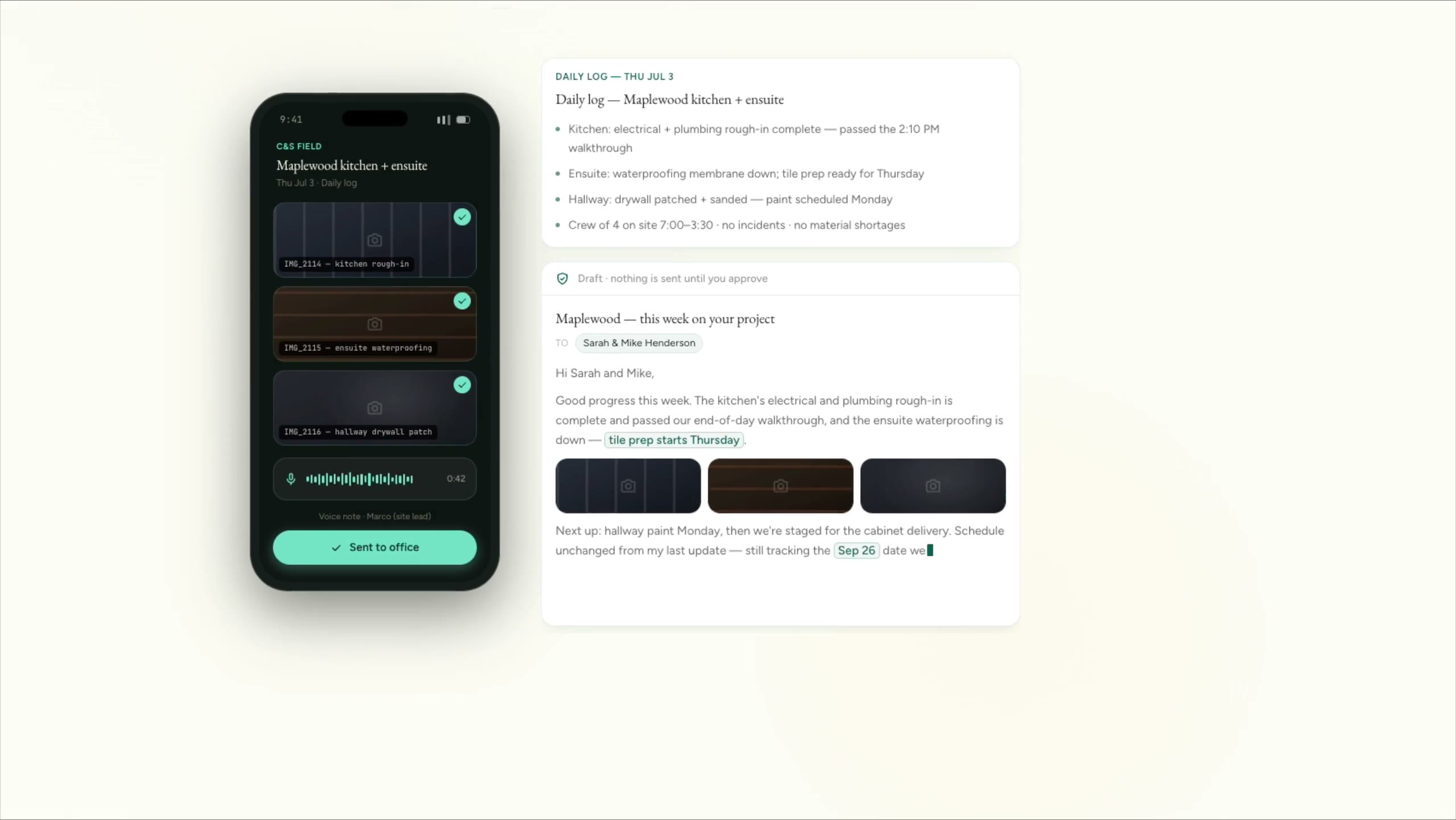
Cedar & Stone, renovation (fictional company)
Site photos and a voice note become a daily log and a client update. Nothing is retyped.
The companies are fictional. Every clip is a real screen recording of the same staged product, not a mockup.
Apps for the people who aren’t at a desk: the day’s jobs, photos, checklists, site sheets and voice notes, sent from a phone in a few taps and built to cope with poor signal. For businesses where the office finds out what happened on site days later.
Sound familiar?
- The crew knows what happened. The office finds out days later.
- Photos sit on personal phones instead of on the job.
- Paper site sheets get lost on the drive back.
- Crews won’t use anything that takes more than a few taps.
What you get
What we hand over
- 01A phone-first app showing each person their jobs for the day
- 02Photos, checklists, site sheets and deficiency lists captured on the job and filed against it
- 03Voice notes turned into a written log for the office to check
- 04Offline behaviour agreed in scope, so a dead zone doesn’t lose an entry
- 05A connection to your job management or accounting software
- 06Training on site for the crew, in the time they actually have
Works with what you run
Names only. We aren’t partners of any of them, and we start from what you already run.
- iOS
- Android
- React Native
- Expo
- Swift
- Supabase
- JobTread
- Buildertrend
How it stays safe
Our principles, applied here
The same rules run through everything we build. How we work
- Logs written from voice notes are drafts until someone on your team confirms them.
- Each person sees the jobs assigned to them, and the office controls who sees what.
- Photos are stored in your account and attached to the job, not left on personal phones.
Before you hire us
When you don’t need this
We’d rather say it now than after you’ve paid for it.
- If your job software already has a mobile app your crew uses, improve how it’s set up before building a new one.
- If your crew is two people and a truck, a shared photo album and a group chat may be enough.
Not sure which side of the line you’re on? Take the scorecard. It’s private, and nothing is sent unless you choose to send it.
Questions
Common questions
We agree the offline behaviour in the scope. Typically, entries save on the phone and send when the signal comes back.
Not always. Many field tools work as a web app saved to the home screen. We go native when the camera, offline storage or notifications need it.
Related
Often paired with
Tell us what you run, and what this would need to do.
Five short steps. We’ll tell you honestly whether this is the right fit.
Start a project